

Search
User login
Topic “Early Years (0-5yrs)”
Early Years (0 to 5 years)
ARASAAC Symbols - Colour
Arasaac picture symbols in colour
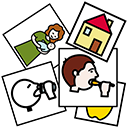
Picture symbols for over 11000 words in English from the Aragonese Portal of Augmentative and Alternative Communication. You can use these in your documents or you could use it in conjunction with the Commtap Symboliser for PowerPoint. The image format used in this set is "png" which is a commonly used image format.
Encouraging eye gaze communication (no tech)
 various contributors
Created 16 November 2016; updated 6 December 2024.
Encouraging eye gaze communication (no tech)
Helping a child to use/begin to use an eye gazing to communicate choices or an action they would like you to do - with pictures and (optionally) a perspex eye gaze frame (i.e. sheet of clear plastic you hold up between you and the child to fix communication pictures on).
Encouraging looking at an appropriate picture
In this situation you know what the child wants - e.g. they want the mirror chimes, or they want you to spin them, but they are not looking at the appropriate picture or picture symbol. This can happen if the child is new to this communication method, or you've put pictures in a different position on the frame in front of the child, or you are presenting new picture symbols.
Try
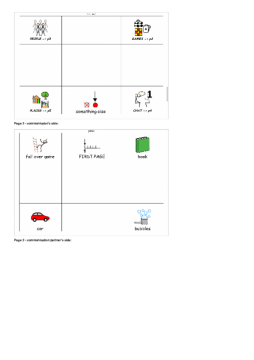
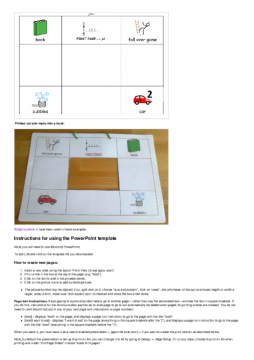
Make an Eye Gaze Communication Book using PowerPoint
Using a PowerPoint template to easily create Eye Gaze communication frame books.
This PowerPoint template speeds up the creation of eye gaze communication frames:
Make an Eye Gaze Communication Book using PowerPoint
various contributors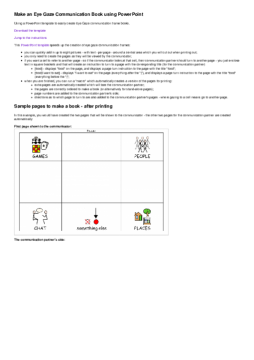
Created 23 May 2016; updated 24 August 2021.
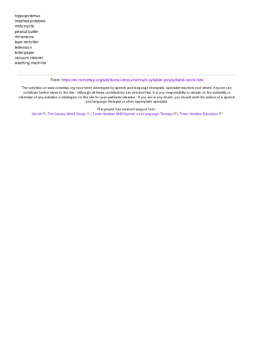
Multi-syllable (polysyllable) word lists
Lists of words containing more than two syllables.
Three syllable words
alarm clock
alphabet
ambulance
banana
bicycle
butterfly
cereal
chimpanzee
chocolate
computer
dinosaur
elephant
fingernail
fire engine
gorilla
hair dryer
hospital
jellyfish
lasagne
library
magazine
microwave
museum
newspaper
octopus
orange juice
parachute
pelican
polar bear
ponytail
potato
radio
raspberry
skeleton
spaghetti
strawberry
submarine
sunglasses
swimming pool
Work out how likely an assessment result could have been achieved by chance
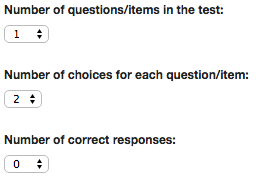
A calculator that you can use to work out how likely that a child/adult could have come up with a score in an assessment test by chance. For example, suppose you had 12 pairs of pictures, and a child was able to point to 9 of them correctly from an instruction - is that a good result or not? No hard maths involved!
Work out how likely an assessment result could have been achieved by chance
various contributors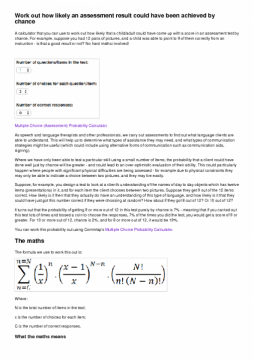
Created 6 May 2015; updated 7 September 2015.
Makes a choice when offered (items)
| Activity/strategy name and materials required | How to do the activity | Key principles for doing the activity and comments |
|---|---|---|
| Choosing Between Toys - Desired and undesired toys, other objects | To begin with hold out a liked toy and a neutral object like a piece of paper - encourage the child to reach for what they want. When they can do this consistently hold out two toys - encourage the child to reach to choose. | Vary which side you hold the toys out to ensure that the child doesn't always reach in one direction. Occasionally, when the child has been reaching for what they want swap the toys around and see whether they still reach for the same one. Always label what they choose for example "snake ... you want the snake...". |
| Choosing Between Food - Two types of food | As above Always label what the child chooses or reaches for. For example: 'Oh, rice, mmmm' Make appropriate sounds like 'mmmmmm', 'yum yum' etc. |
The Chute
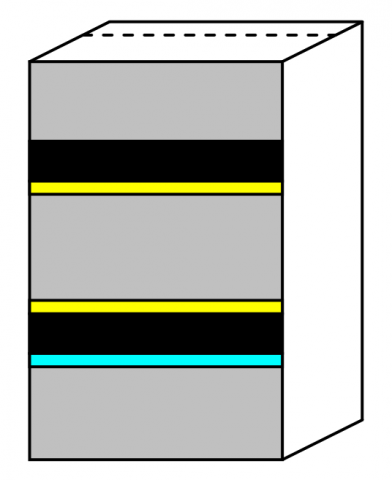
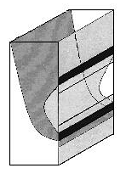
The chute is a special/fun posting box which is designed for posting cards with something on each side. You post it with one side facing up, and it pops out of the bottom showing the other side. You could use this for phonology work for example, having picture cards with the initial sound written on the back. The pupil says the initial sound for the picture, posts the card and checks if they were right from the card when it comes out the bottom.
How to make the chute
You will need:


The Chute
Picture:
Picture description:
The chute - a special kind of posting box.
Diagram of the Chute
Picture:
Picture description:
Diagram of the chute - a special kind of posting box.
Strategies for eliciting single words/short phrases/gestures
| Activity name/materials | Instructions | Comments |
| Wrong picture names! Materials: Set of pictures of everyday objects - these should be cards that the child knows the names of |
Support Commtap to keep it online
Thank you for visiting Commtap.
Please read this message as it is extremely important.
- Visitor donations mean we can continue to host over 1,000 free activities to support speech, language, and communication development.
- Visitor donations mean we can continue to provide free resources to address a wide range of communication needs, including limited speech or language, interaction challenges, and needs associated with conditions such as developmental language disorder, autism, and cerebral palsy.
- Visitor donations mean we can continue to provide resources to support the work of speech and language therapists, teachers, teaching assistants, parents, and carers.
- Visitor donations mean we can continue to provide the free key word sign dictionary (bks.org.uk) which has over 2,000 Makaton and Signalong signs.
We know that not everyone is able to afford to pay to access these resources, however, if you can, please make a donation to keep the site going.
Thank you

Google ads on this page are provided by Google Adsense - and their presence does not imply any endorsement by Commtap. Report a problem with an ad on this page. Log in (for free) to avoid seeing Google ads.
